 yuanming@yuanming.com.cn
  86-755-89703008
Ticket Books vs Loose Tickets: Which Fits Your Workflow?

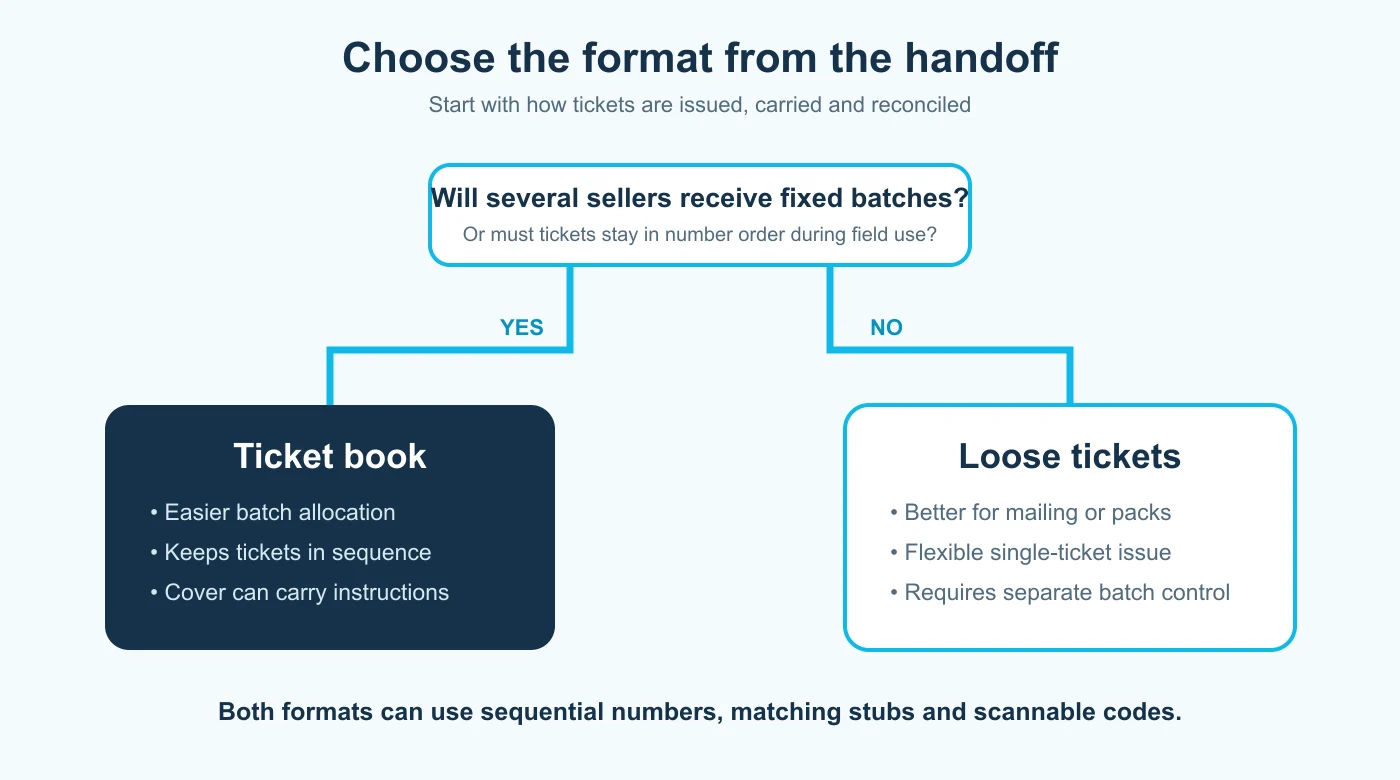
Choose ticket books when tickets must stay in numbered batches, move between several sellers, or remain protected until use. Choose loose tickets when individual pieces will be mailed, added to event packs, handed out one at a time, or presented separately. Both formats can use sequential numbers and perforated stubs; the right choice depends on the handoff, not the ticket design alone.
Quick decision
- Use books for seller allocation, field carrying and number-order control.
- Use loose tickets for mailing, presentation packs and flexible one-by-one distribution.
- Use matching stubs when one portion must be retained for reconciliation, a draw or a claim.
Why Ticket Format Matters
A ticket is a small printed control document. Before use, it has to be stored and issued. During use, staff may need to remove a stub, check a number or scan a code. Afterwards, the organization may need to reconcile sold, used, returned and unused tickets.
Binding changes that workflow. A book keeps a known group together and can carry seller instructions on its cover. Loose tickets remove the binding step and make each piece easier to insert into an envelope, welcome pack, credential holder or product package. The printing decision should follow those physical movements.
When Ticket Books Work Best
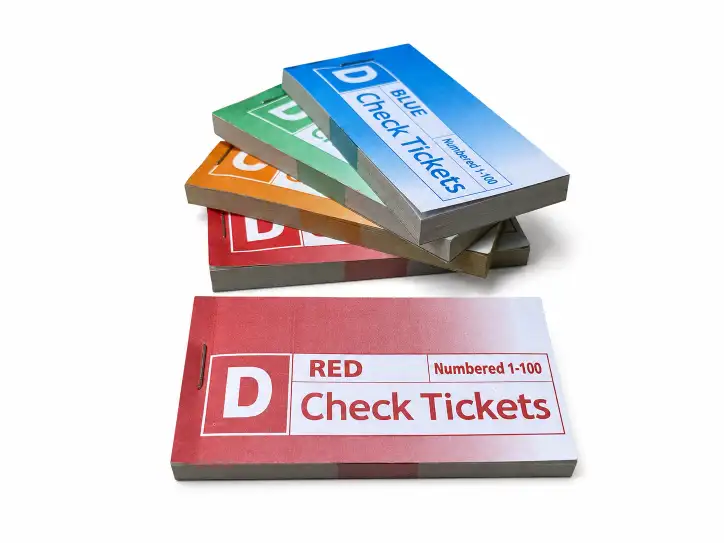
Ticket books are strongest when responsibility moves in batches. A fundraiser may issue one book to each volunteer. A parking or coat-check desk may keep one book at each station. A service team may assign a book to each location or shift. The cover and binding make the batch easier to identify, carry and return.
The buyer must define the batch rather than simply request “books.” Confirm how many tickets belong in each book, whether a cover is required, which edge is bound, how each ticket detaches and whether retained stubs stay in the book. If separate teams need separate ranges or colors, record that before the number file is prepared.
- Best for distribution to several sellers, desks or locations.
- Useful when unused tickets must return as a recognizable batch.
- Helpful when the cover needs instructions, an allocation range or an issuer name.
- Less convenient when every ticket must be mailed or packaged separately.
When Loose Tickets Work Best
Loose tickets suit workflows where the individual piece is the unit of distribution. They can be inserted into invitations, mailed to attendees, placed in retail packs or handed to guests from a controlled stack. They also allow different ticket types to be sorted into envelopes or presentation sets without removing them from a book first.
That flexibility creates a control question: how will batches be separated and recorded? Sequential numbers still identify each ticket, but the organization needs envelopes, bands, cartons, color groups or an allocation sheet to prevent different ranges from being mixed. If appearance matters, ask how tickets will be packed so corners and perforations arrive protected.
- Best for mailings, invitations, event packs and one-by-one presentation.
- Useful when tickets must be divided into custom quantities after printing.
- Requires a separate method for batch labels and number-range control.
- May need more protective packing than a bound book.
Ticket Books vs Loose Tickets
Use the actual handoff to make the final choice. The decision below separates batch issue from individual distribution; it does not assume that one format is more secure or professional in every application.
| Buyer question | Ticket book | Loose tickets |
|---|---|---|
| Issued to multiple sellers | Easy to allocate fixed books | Needs separate bundles or envelopes |
| Tickets kept in number order | Binding supports sequence | Packing must preserve sequence |
| Individual mailing or event pack | Requires removal before packing | Ready for individual distribution |
| Instructions for each seller | Can appear on a cover | Need a separate instruction sheet |
| Premium individual presentation | May feel operational | Easier to package separately |
| Matching tear-off stub | Available | Available |
Plan Numbers and Matching Stubs
Sequential numbering helps only when the number range matches the operating record. Tell the printer the starting number, ending number or total quantity, digit length, number position and whether leading zeros are required. If several categories use separate ranges, supply those ranges in a simple table.
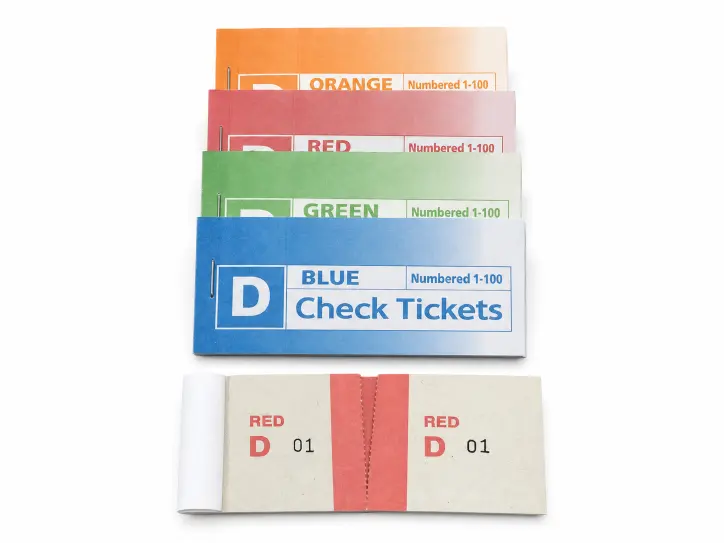
A perforated stub is useful when one portion stays with the organizer and the other moves with the customer, item or entry. Put the same number on both portions when they must be matched later. Decide which side stays and which side leaves before approving the artwork; that decision determines the perforation position and where the important fields belong.
Adobe’s current Data Merge documentation explains the production principle behind variable records: a data source such as CSV or TXT supplies changing fields, while a target layout holds the fixed design. Buyers do not need to impose the press sheets themselves, but they should provide clean, duplicate-free numbering data and review several records in the proof.
Use QR Codes Deliberately
A QR code can link to registration, directions, event information or a digital validation record, but it does not automatically replace a printed serial number. First decide what the code will do and who will scan it. A static link and a unique admission credential are different requirements.
Test the final code from a printed proof at the intended size. Keep adequate clear space around it, use strong contrast and avoid placing the code across a perforation or trim area. GS1’s 2025 guidance for 2D codes explains that a QR Code quiet zone uses four modules and that poor contrast or graphic noise can damage scanning. That retail guideline is useful technical context, but your actual ticket system may have its own specifications.
Proof the Complete Workflow
Do more than proofread the event name. Print or request a physical sample and rehearse the steps that matter:
- Allocate one sample book or loose batch to the person who will issue it.
- Write on any fields using the real pen or marker.
- Tear the stub in the direction staff will use.
- Check that both numbers remain readable after separation.
- Scan every code type from the printed sample.
- Place the ticket into its envelope, holder or pack.
- Reconcile the sample as sold, used, returned or unused.
This walkthrough often reveals a wrong binding edge, a stub that is too narrow, a code that is too close to the perforation or an allocation label missing from the cover.
Prepare a Quote-Ready Specification
For a comparable quotation, send the same complete specification to each supplier:
- ticket use: admission, raffle, claim check, parking, pickup or another application;
- finished ticket size, stub size and orientation;
- ticket books or loose tickets, including tickets per book or bundle;
- total quantity and number of designs or categories;
- starting number, digit length, number positions and matching-stub requirement;
- paper, printing colors, front/back printing and any writable areas;
- perforation, binding, cover and packing;
- QR or barcode file, destination and testing requirement;
- delivery destination and required arrival window.
Review PrintingMaxx’s custom numbered ticket printing options for available format fields, then send your ticket layout or requirement list for specification review. If the order will ship internationally, compare the full delivered responsibility rather than only the printed unit price; the landed-cost worksheet explains the additional cost categories to check.
Technical Sources
- Adobe InDesign Data Merge overview — how structured data records feed variable fields in a repeated layout.
- Adobe InDesign QR Code documentation — creation and editing of high-fidelity QR graphics.
- GS1 2D barcode implementation guideline — technical context for quiet zones, contrast and symbol integrity.