 yuanming@yuanming.com.cn
  86-755-89703008
Notebook Page Layouts: Ruled, Grid, Dot Grid or Blank?
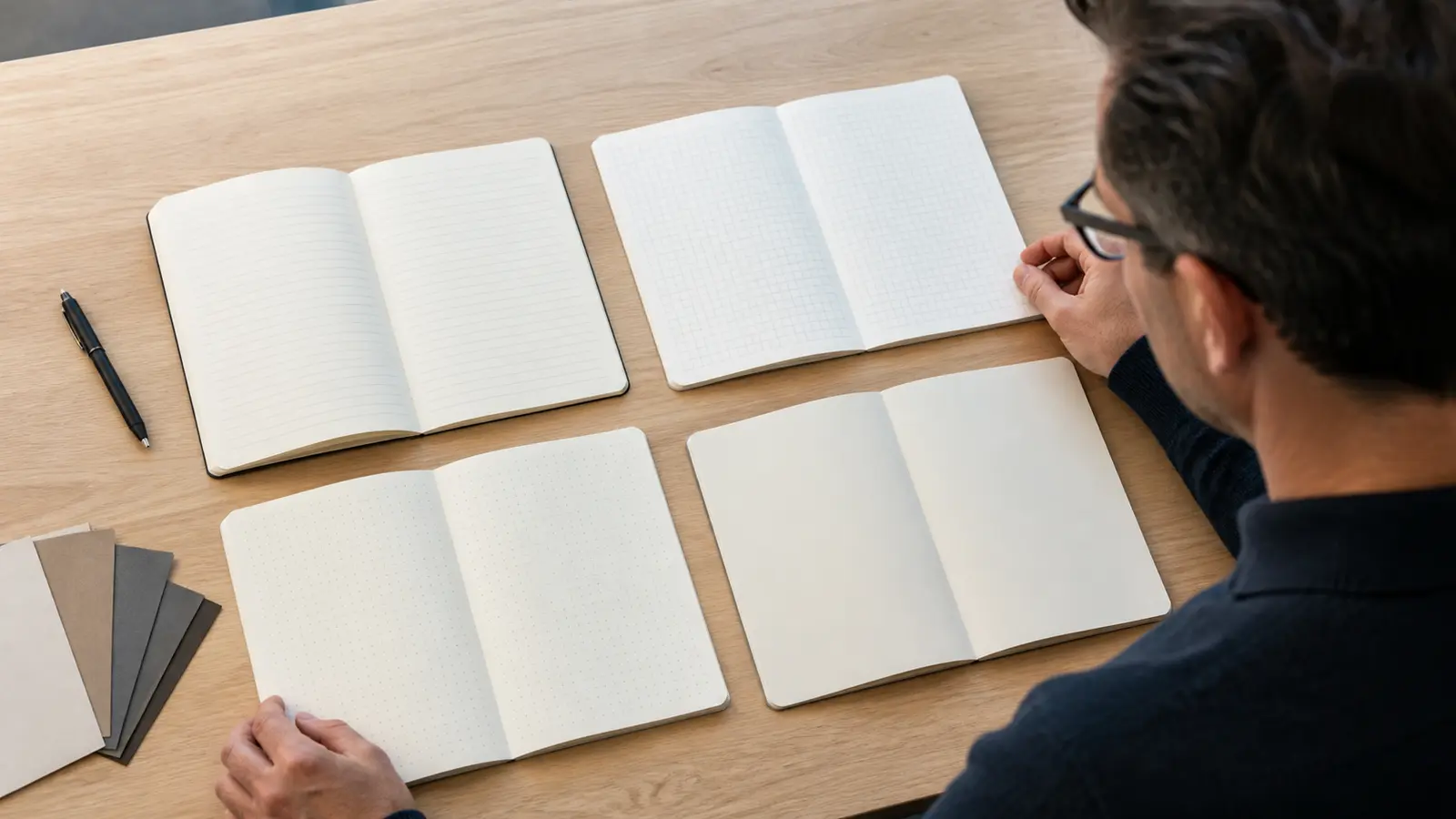
The best notebook page layouts depend on what people will do on the page. Choose ruled pages for continuous writing, grid pages for tables and technical notes, dot grid for mixed writing and diagrams, and blank pages for sketches or free-form thinking. If one notebook must serve several roles, test a mixed-section layout before ordering.
That decision sounds small, but it affects whether recipients keep using a branded notebook after the first meeting. A familiar layout reduces friction; the wrong one makes routine work feel awkward.
Compare Notebook Page Layouts
Start with the dominant task, not with the look of the page. A sales team recording conversations needs different guidance from a technician sketching dimensions or a designer mapping an idea.
| Layout | Best fit | Main advantage | Watch for |
|---|---|---|---|
| Ruled | Meeting notes, interviews, written records | Keeps long text orderly | Lines can restrict diagrams |
| Grid | Tables, calculations, technical sketches | Supports horizontal and vertical alignment | A dark grid can feel visually busy |
| Dot grid | Planning, mixed notes, light diagrams | Adds flexible guidance without strong lines | Dot spacing and color need testing |
| Blank | Sketches, mind maps, visual concepts | Maximum freedom | Text can drift without a guide |
These are selection principles, not fixed production specifications. The final spacing, line weight, ink color, paper and binding should be confirmed for the actual order.
Choose by the Work
Picture one normal workday. What does the recipient write first: paragraphs, figures, boxes and arrows, or sketches? That answer is more useful than asking which layout looks most modern.
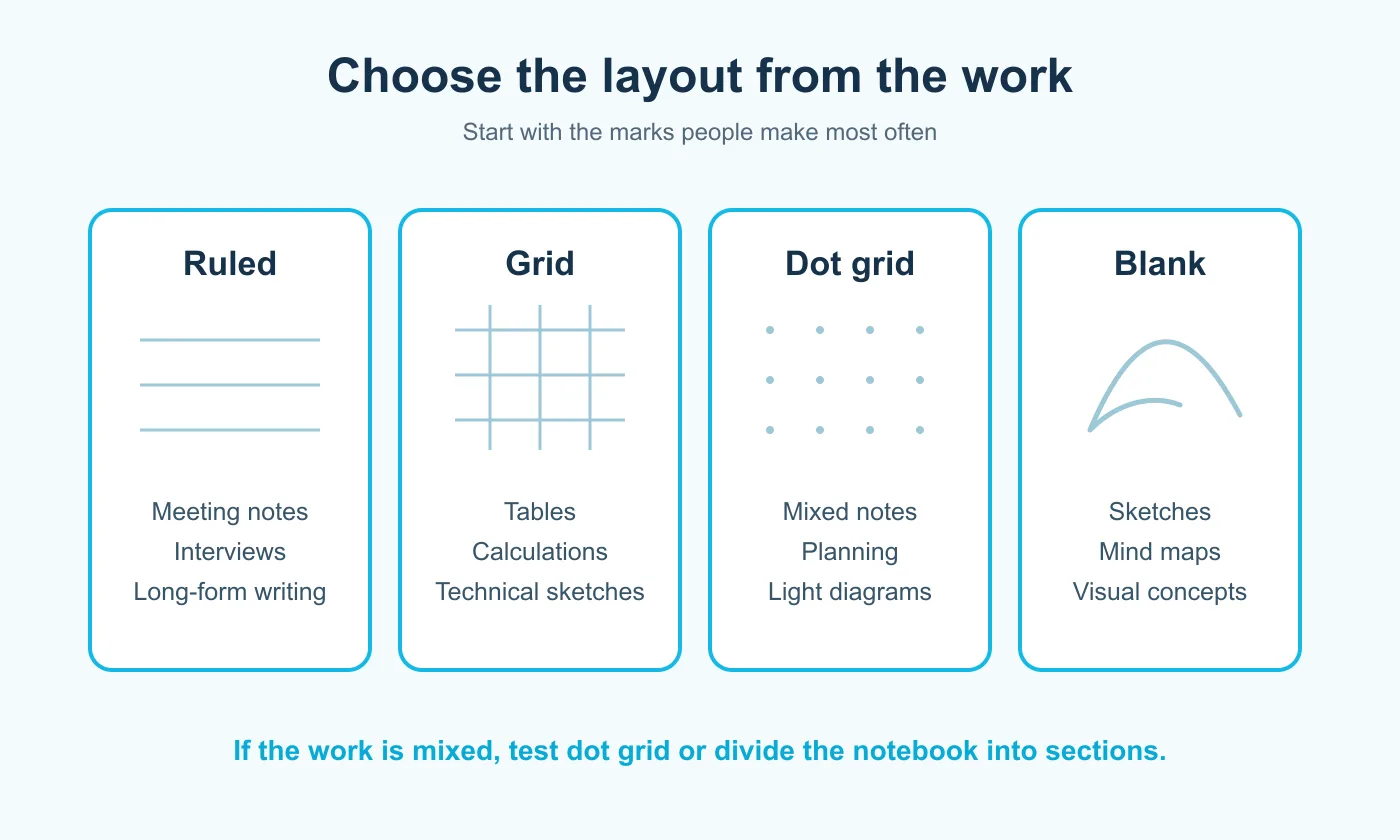
- Mostly sentences: begin with ruled pages.
- Numbers and aligned fields: begin with grid pages.
- Several note styles on one page: test dot grid.
- Drawing before writing: begin with blank pages.
For a mixed team, avoid solving every possible use case in one page. You can divide the notebook into sections, but each change should have a clear purpose and be easy to find.
Ruled Pages for Text
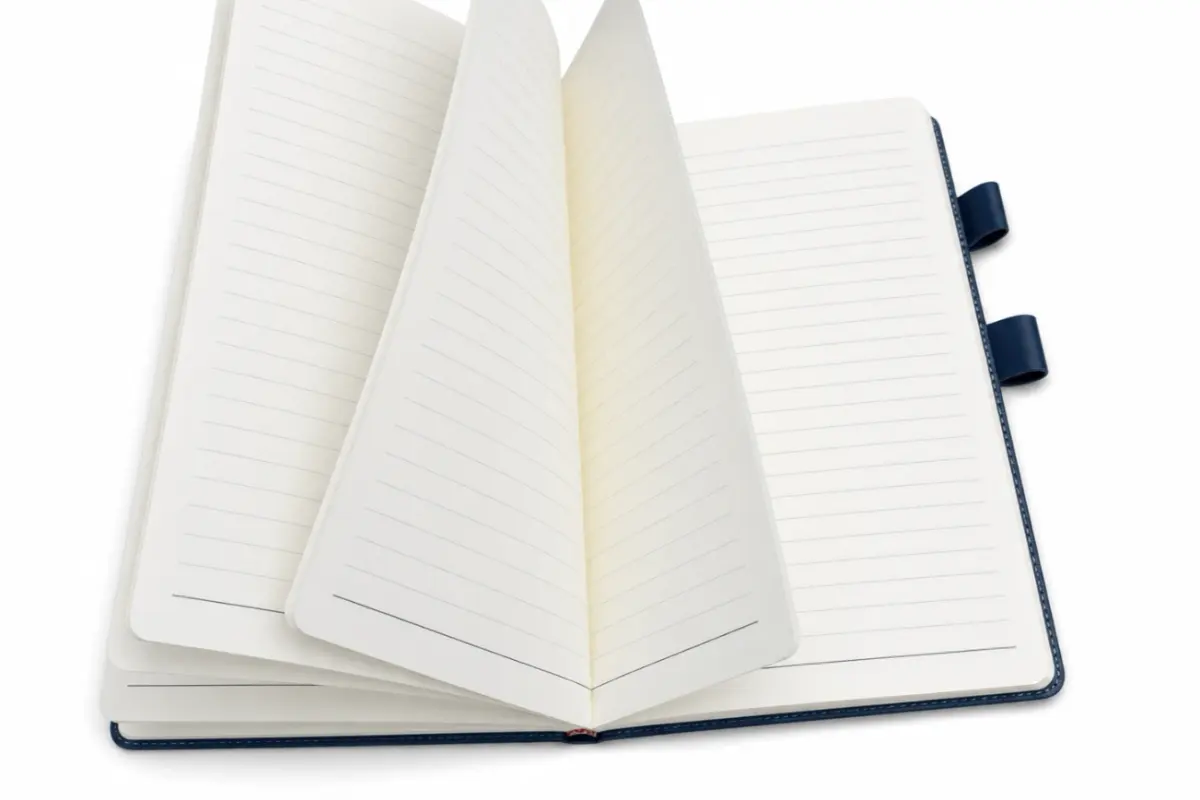
Ruled pages are the lowest-friction option when most recipients write meeting summaries, customer notes, interview records or training notes. The lines provide an immediate writing path, so users do not need to build their own structure.
The important choice is not simply “lined or unlined.” Review line spacing, margin position and line darkness. Tight spacing can feel efficient for small handwriting but cramped for quick notes. Strong dark rules may compete with handwriting, while rules that are too pale may disappear under office lighting.
Choose ruled pages when adoption across a broad team matters more than diagram flexibility.
Grid Pages for Structure
Grid pages provide reference points in both directions. They suit calculations, tables, inventory notes, dimensions, process sketches and any task where columns or boxes must stay aligned.
The trade-off is visual weight. A grid that prints too dark can dominate the page and make dense writing harder to scan. During proof review, look at a full written page rather than an empty sample. The goal is guidance that remains in the background.
Grid pages work best when alignment is part of the task, not merely a decorative preference.
Dot Grid for Mixed Work
Dot grid sits between full structure and open space. The dots can guide lines, boxes, checklists and simple diagrams while remaining less visually prominent than a complete grid.
This makes dot grid useful for project managers, product teams and people who combine meeting notes with timelines or quick sketches. It is not automatically the best universal choice: some users prefer continuous rules for fast writing, and faint dots need enough contrast to remain useful.
Test the dot pitch and ink tone with the pens your team actually uses. A sample page reveals more than a screen proof because scale and contrast change once printed.
Blank Pages for Visuals
Blank pages are suited to concept sketches, mind maps, storyboards and visual brainstorming. Nothing interrupts the drawing area, and ideas can expand in any direction.
The same freedom can frustrate people who mainly write text. If the notebook needs occasional long-form notes, consider placing a removable ruled guide beneath the page or combining a blank section with another layout. Do not assume a mixed layout is available until it is confirmed for the specific order.
Choose blank pages when visual freedom is the main function, not simply because the spread looks clean in a product photograph.
Test a Printed Sample
A PDF proof can confirm content and positioning, but a physical sample answers the practical questions: Does the line spacing suit real handwriting? Are the dots or grid visible without overpowering notes? Do pens show through? Does the inner margin remain comfortable near the binding?
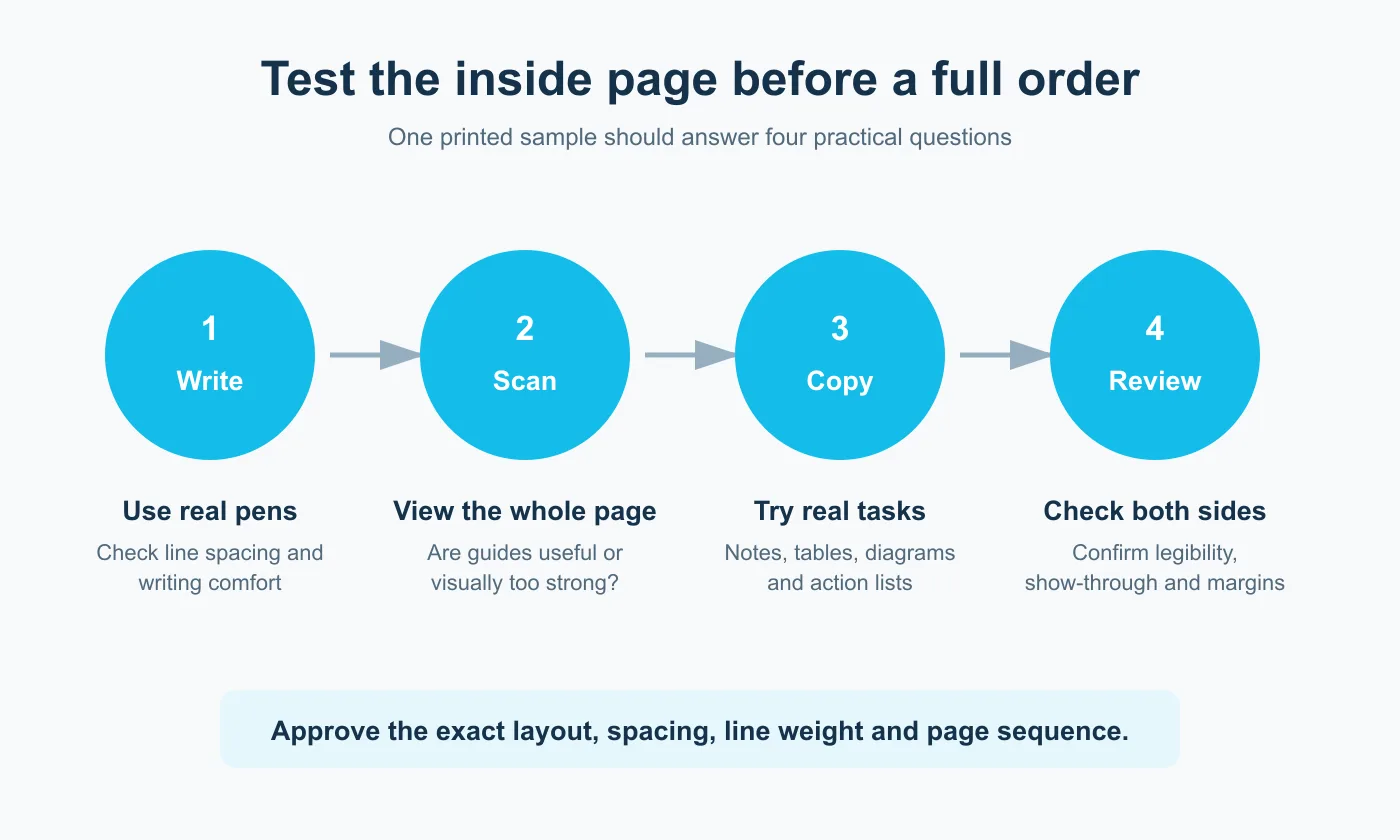
- Write a meeting note with the pens normally used by the team.
- Draw a table, checklist and quick process diagram.
- Turn the page and inspect show-through and legibility.
- Check the first and last writable areas near the binding and trim.
- Approve the exact layout, spacing, line weight and page sequence—not only the cover.
When size is part of the decision, record the finished dimensions rather than relying on a name alone. ISO 216 defines the A and B series used for many writing-paper formats, but custom projects still need an agreed finished size.
Prepare Your Notebook Brief
Before requesting a quote or proof, give the printer one controlled specification instead of sending scattered comments. Include:
- finished size and orientation;
- page count or sheet count, stated clearly;
- selected layout for each section;
- ruling, grid or dot spacing;
- line or dot color and visual weight;
- page numbering, headers, footers or repeated brand elements;
- paper and binding requirements that need confirmation;
- required sample or proof stage;
- delivery market and intended use.
If the layout will repeat across many pages, supply one approved master and a clear page sequence. For a mixed notebook, identify exactly where each section begins and ends.
PrintingMaxx can review a custom notebook specification within its business supplies printing options. Send the intended use, size, quantity, page layout and delivery country through the quote contact page so the available construction and proofing options can be confirmed for your project.
Quick questions
Can one notebook use more than one page layout?
It may be possible to divide a notebook into sections, but availability and construction details must be confirmed for the specific project. Keep the sequence simple enough that recipients understand it.
Is dot grid always more flexible than ruled paper?
It supports more visual arrangements, but people who write long notes may still work faster on ruled pages. Test the dominant task rather than choosing by trend.
Should the inner pages carry a logo?
Only when it helps the intended use and does not compete with handwriting. A light header or footer may be sufficient; review it on a written sample.
What should be approved before production?
Approve the finished size, page sequence, spacing, line weight, color, margins, paper, binding and proofed artwork. Treat any unconfirmed production option as subject to quotation review.